

Teleprompter Live Story Macros
How a teleprompter script can automate your entire live show.
In this blog post about the teleprompter, we show you how we use a teleprompter at a live event and what automation possibilities we have in combination with the Live Story Creator from NewTek.
Teleprompter for TV Shows and Video Productions
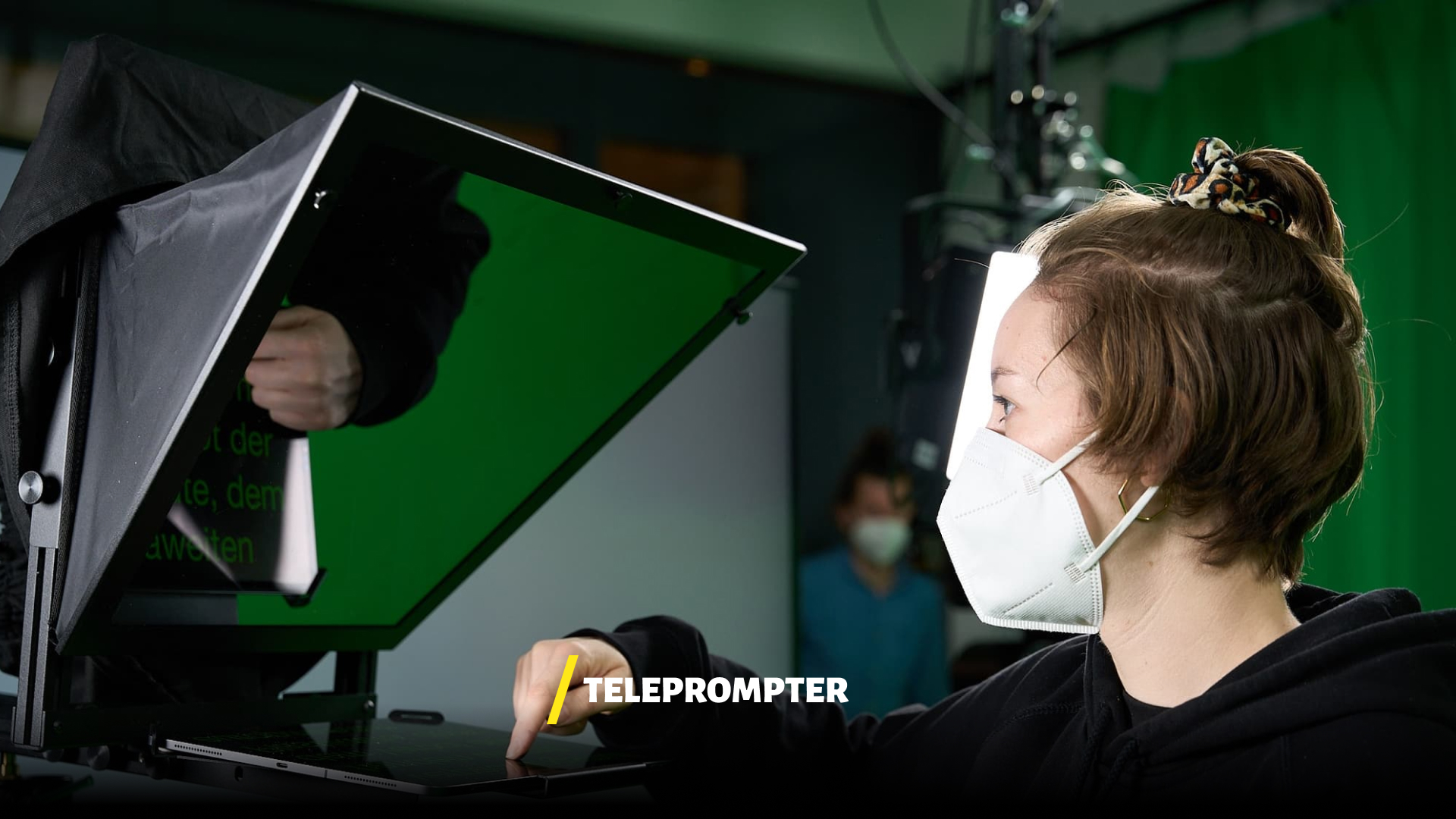
Everyone knows a teleprompter from studio production or has certainly seen one on television. Teleprompters are used in video production and the event sector to deliver complex content, last-minute topics or special texts. The key feature is the reflection of text via a glass pane mounted in front of the camera lens. This way, speakers look directly into the camera optics without looking past the camera.
In classic news productions and at major conferences, the teleprompter has long been standard. But the potential of this technology goes far beyond simply reading text. In combination with modern broadcast systems, the teleprompter becomes a control instrument for complex live productions that automates manual directing decisions and minimizes the risk of errors.
Using a teleprompter brings several crucial advantages for speakers. First, it enables direct eye contact with the audience since the text is reflected right in front of the camera lens. Second, it significantly reduces stress during live appearances because complex formulations or figures do not need to be memorized. And third, it ensures a professional, fluid presentation style that conveys trust and competence to viewers.
Automated Scenes with the NewTek Live Story Mode
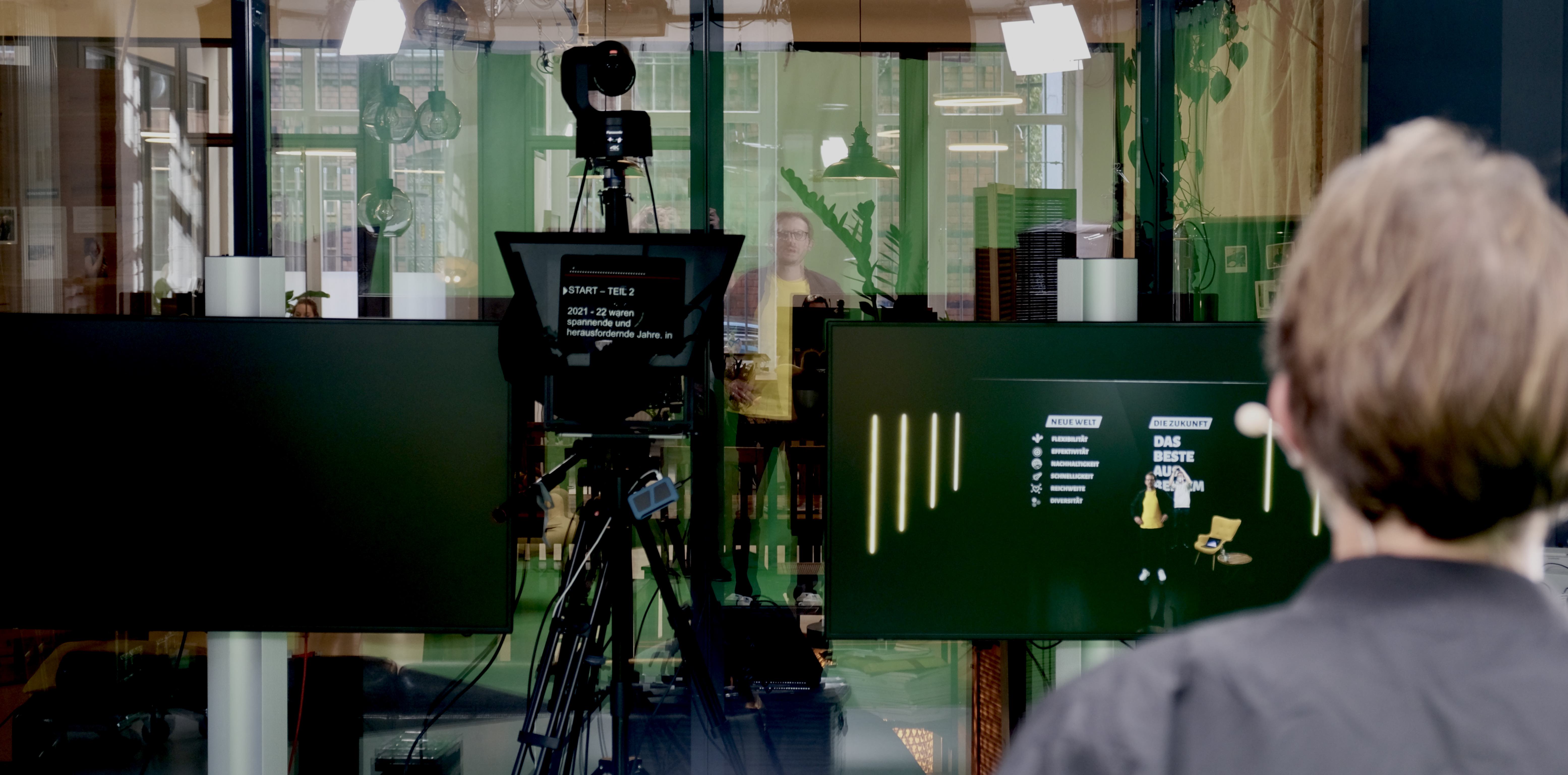
We entered completely new territory with the use of the teleprompter function via the NewTek TriCaster Elite 2. The goal of this feature was, on one hand, to test a classic teleprompter deployment using a pre-produced script, and on the other, to perfectly pre-plan camera switches, layouts and video inserts to match the spoken word.
As shown in the video, every word can be marked before production begins and assigned to individually pre-programmed scenes. This allows individual camera sources to be switched or complex scenes with different layouts, audio tracks and sources to be controlled. Using our example case LinkedIn Keynote - Digital Formats of the Future, we briefly demonstrated the possibilities of how words relate to background visuals.
Through the combination of teleprompter + layout layers, we see immense added value for a professional and reliable live production. In practice, the combination of features works as follows:
- Program cameras, designs, videos and M/E layouts in the NewTek TriCaster and create macros as needed
- Create the script in Microsoft Word and add the NewTek TriCaster layout name at the desired text position using the comment function.
- Import the script into the TriCaster and start the automated show by launching the teleprompter.
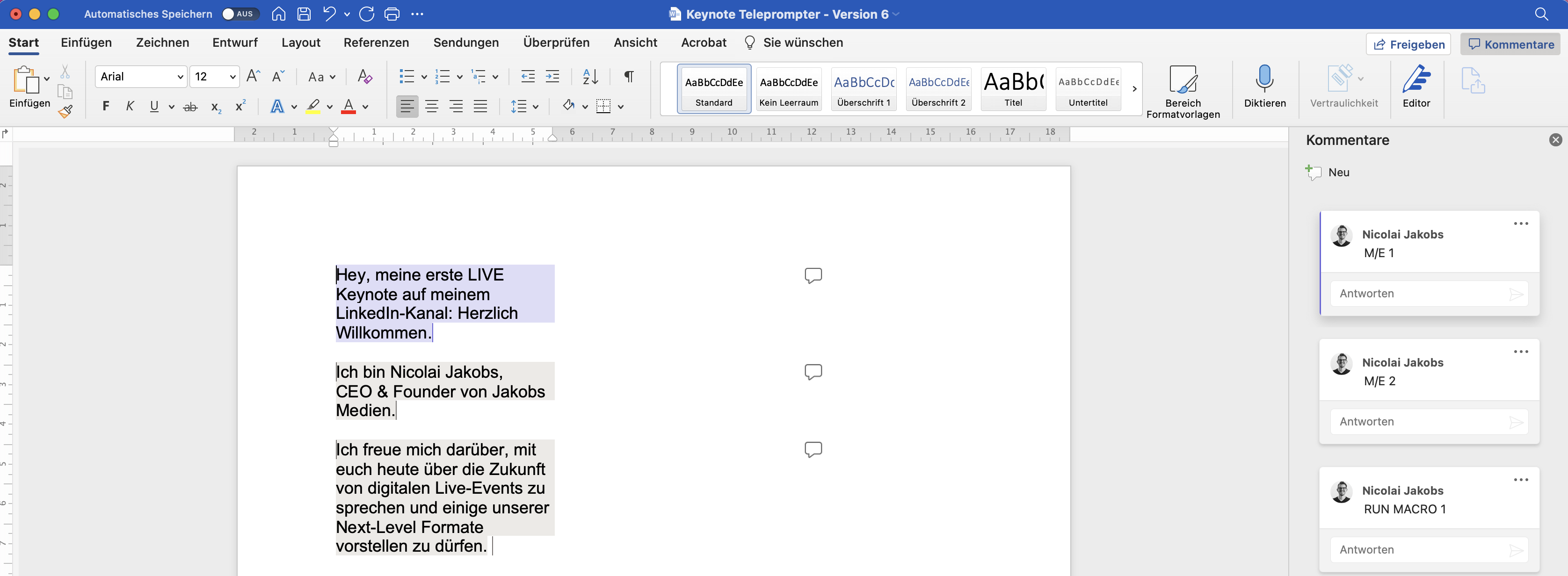
Live Story Teleprompter Text with Microsoft Word and comment function for the respective pre-programmed scene
NewTek Tutorial
What Is the Live Story Creator in Detail?
The Live Story Creator is a feature of the NewTek TriCaster that eliminates the traditional separation between teleprompter text and directing controls. At its core, it functions like an intelligent screenplay that contains not only the spoken text but simultaneously all technical directing instructions.
The principle is surprisingly intuitive. The editor creates the script in Microsoft Word, a tool that everyone knows and masters. At the points in the text where a scene change should occur, the name of the pre-programmed TriCaster scene is added via the Word comment function. When the teleprompter then scrolls to that point during the live show, the TriCaster automatically triggers the corresponding scene change.
A scene in the TriCaster context can be far more than just a camera switch. It can encompass a complete layout with multiple sources: a specific camera as the main image, a picture-in-picture element, specific lower thirds, a background graphic, a particular audio channel and even pre-built transitions. All these elements are triggered simultaneously during the scene change, enabling a complexity that would be nearly impossible to execute manually in real time without errors.
Advantages of Automated Production Over Manual Directing
Classic live directing works like this: a director sits in front of the monitors and makes real-time decisions about which camera is switched, when a video insert plays and when graphics are displayed. This requires the highest concentration, excellent communication between the control room and the speaker, and yet human errors can never be entirely ruled out.
The Live Story Creator fundamentally changes this paradigm. Directing decisions are no longer made in the heat of the moment but are thought through, tested and optimized in advance. This brings a number of concrete advantages:
Reproducibility: Every run of the show follows exactly the same plan. Whether rehearsal or live broadcast, the technical execution is identical. This gives everyone involved confidence and makes it possible to focus on fine-tuning during rehearsals.
Reduced error rate: Human errors in manual switching, such as a missed camera change or a forgotten graphic overlay, are eliminated. The system executes the pre-programmed commands reliably and precisely.
Relief for the directing team: Instead of manually executing every single cut, the directing team can focus on the overall quality of the production. They monitor the flow, react to unforeseen situations and can intervene manually when needed.
More complex productions possible: Since automated control can execute many commands simultaneously, productions become possible that would only be achievable manually with a significantly larger team. Multiple simultaneous layout changes, synchronized audio and video switches and coordinated graphic overlays run at the push of a button.
Consistent timing: Every scene change happens at exactly the right moment in the spoken text. This creates a seamless experience where picture and sound are perfectly synchronized.
The Technical Workflow Step by Step
For teams looking to integrate the Live Story Creator into their production workflow, here is a detailed description of the individual steps:
Step 1: Scene programming in the TriCaster. First, all required scenes are created in the TriCaster. This includes camera assignments, layout configurations with picture-in-picture, graphic overlays, audio routing and transitions. Each scene receives a unique name that will later be referenced in the Word script.
Step 2: Macro creation. For particularly complex sequences, macros can be created that combine multiple actions into a single sequence. A macro can, for example, simultaneously switch a camera, display a logo, fade background music in or out and start an animation.
Step 3: Script creation in Microsoft Word. The script is created as a regular Word document. At every point where a scene change should be triggered, the exact scene or macro name is inserted via the comment function. This can be done by the editorial team, the director or the speaker themselves.
Step 4: Import and linking. The Word document is imported into the TriCaster, where the comments are automatically mapped to the corresponding scenes. At this point, it is also verified that all referenced scenes exist and are correctly configured.
Step 5: Rehearsal and fine-tuning. Before the live production, one or more run-throughs are conducted. During these, the timing of scene changes, the scrolling speed of the teleprompter and the visual transitions can be optimized.
Step 6: Live production. The speaker reads the text from the teleprompter, and the TriCaster executes the programmed scene changes automatically. The directing team monitors the process and has the ability to intervene manually at any time if necessary.
Applications and Use Cases
The combination of teleprompter and automated scene switching is suitable for a wide variety of productions. Corporate keynotes benefit from the ability to synchronize elaborate visual presentations with the spoken word without requiring a large directing team. Product launches can be staged with perfectly timed product displays and 3D animations. Training and webinar formats are professionalized through automated slide changes and source switching. And recurring formats such as news shows or podcast productions benefit from the reproducibility, which significantly reduces the production effort per episode.
For our own productions as well, such as the LinkedIn Keynote on the Future of Digital Events, the Live Story Creator has proven to be an indispensable tool. The ability to perfectly synchronize Unreal Engine virtual backgrounds with the spoken content elevates production quality to a new level.
Conclusion: The Future of Live Production Is Automated
The NewTek TriCaster’s Live Story Creator is more than a feature. It represents a paradigm shift in live production: away from reactive, manual directing toward planned, automated show control. For production teams that regularly produce live formats, this means less stress, fewer errors and more creative possibilities.
At Jakobs Medien, we now use the Live Story Creator in numerous productions and continuously develop our workflows further. Anyone who wants to learn more about how automated production can work for their own formats is welcome to get in touch with us.